


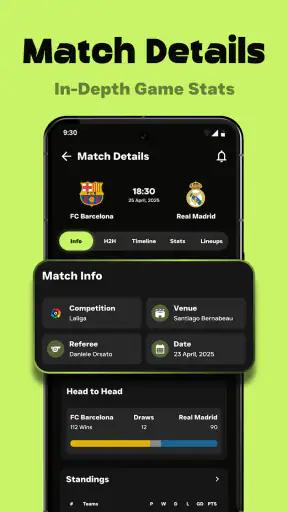
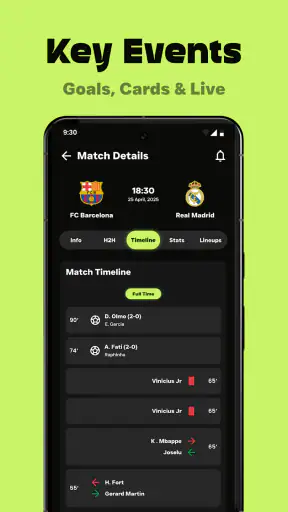
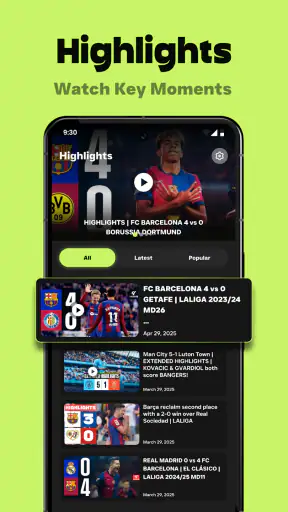
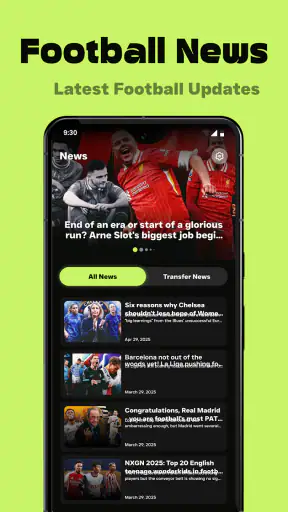
I spent time with Football Live Scores & Alerts as a quick football companion rather than as a full viewing service. That distinction matters. The app is built around following matches, checking scores, scanning statistics, and catching highlights, so its value appears in the small gaps of the day: while commuting, between tasks, or when I cannot watch a game live. I found it most useful when I wanted a fast answer without opening a browser and sorting through several pages.
Published by Media Studio Inc - All Video Downloader Apps, this free sports app has reached over five million installs and carries an average rating of 4.1 from around twenty-eight thousand ratings. It is marked suitable for Everyone, which makes it approachable for a broad audience, although that label should not be confused with full accessibility for every ability or situation. The current release is version 1.0.25 and works on Android 7.0 or later.
How clearly the app presents football information
The first thing I noticed is that the app’s purpose is easy to understand. It does not try to be a social network, a ticketing tool, or a fantasy football dashboard. I open it to see what is happening, move through match information, and decide whether a game deserves closer attention. That narrow focus helps reduce the learning curve for someone who only wants live football scores.
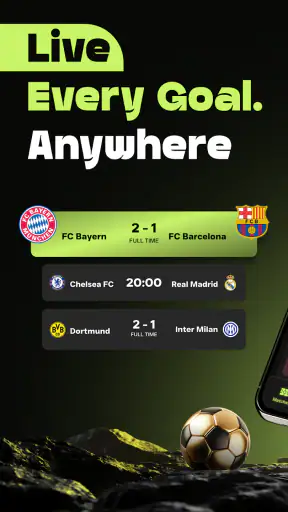
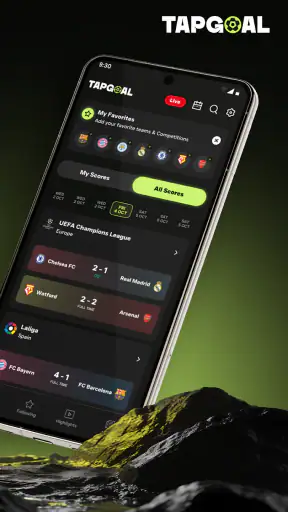
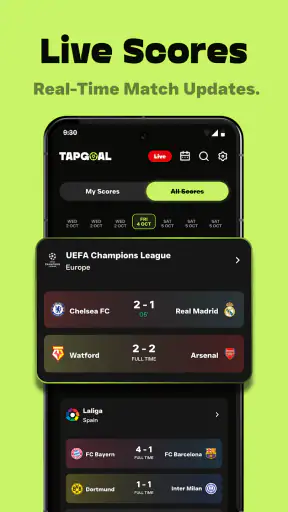
For readers who process information quickly through visual grouping, a score-first design is generally a sensible approach. A match score is easier to recognize when it is separated from team names, status information, and supporting statistics. I found that this kind of arrangement suits short checks better than a long article or a crowded news feed. It also makes the app practical for people who already know which fixture they are following.
There is an important trade-off here. A compact sports interface can feel efficient to an experienced football fan but less obvious to a newcomer who does not know the difference between a live match, a completed result, and a highlight item. If you are introducing the app to a child, an older relative, or someone unfamiliar with football terminology, I would spend a few minutes showing them where scores and match details appear instead of assuming everything will be self-explanatory.
I also prefer using it with a clear purpose. Rather than repeatedly browsing every available screen, I would start with one question: “Is my team playing?”, “What is the current score?”, or “What happened in the match?” This reduces visual searching and makes the short sessions for which the app is best much more manageable.
Readable information is more useful than a crowded screen
Football apps often compete to show every possible detail at once. That can be useful for a dedicated analyst, but it can also make an ordinary score check tiring. In my experience, Football Live Scores & Alerts makes the most sense when I treat the score and essential match context as the starting point, then open statistics or highlights only when I need them.
That workflow is a practical accessibility advantage even without claiming a formal accessibility certification. It lets me control how much information I take in at one time. Someone with attention difficulties may benefit from checking the result first and postponing deeper details. A user who becomes overwhelmed by dense sports dashboards can use the same approach: answer the immediate question, then stop.
On a small phone, however, readability depends heavily on the device and the way the interface is rendered. Long team names, several numbers, and multiple match elements can compete for space. I would not recommend relying on a tiny screen while walking or doing another task. The app is easier to use when I can pause, hold the phone steadily, and give the information my full attention.
Navigation habits that save time
One of my more useful habits was deciding in advance whether I wanted a live update, a statistic, or a highlight. Those are related but different needs. If I am checking a score during a work break, I do not need to open every available detail. If I missed a match, statistics may help me understand the result, while a highlight gives me a faster sense of the decisive moments.
This also answers a common practical question: can the app replace watching a match? In my view, no. It is better understood as a companion for people who cannot watch continuously. Scores and match information can keep me informed, but they do not provide the atmosphere, commentary, or complete visual context of a live broadcast. For a person who wants the match itself, a legitimate streaming or television option remains the better choice.
Another useful workflow is to check information before starting an activity that limits phone use. I might review the latest match state before entering a meeting, then return later for the outcome. This avoids repeatedly reaching for the phone and is safer than trying to follow updates while driving, cycling, or crossing a street.
Using it across different abilities and daily situations
Motor considerations and one-handed checking
Live score apps are often used in awkward conditions: standing on public transport, holding a coffee, or using a phone with one hand. Football Live Scores & Alerts fits that kind of short interaction better than a tool that demands long text entry. I can approach it as a read-and-check experience rather than a typing task, which is helpful when precise touch control is difficult.
Even so, one-handed use has limits. Small controls, closely placed rows, or a need to move repeatedly between sections can be frustrating for someone with tremors, limited reach, or reduced fine-motor control. I would use a larger device when possible, increase the system’s display size if that helps, and avoid trying to operate the app while moving. These are sensible adjustments, but they cannot turn every compact mobile layout into an effortless one.
For users who rely on assistive touch tools, switch access, or voice interaction, the real experience may vary by phone and operating system. I would test the exact actions that matter most, such as opening a match and reaching its score details, before depending on the app for important updates. A simple score check may work well, while navigating several layers of information could require more effort.
That is one reason I see the app as strongest for occasional, deliberate checks. Someone who needs constant hands-free access may be better served by a platform designed around spoken alerts or a wearable they already use. Football Live Scores & Alerts can be convenient, but convenience is not the same as universal input support.
Visual and sensory comfort
The app’s main information is visual, so people with low vision should judge it on their own device rather than relying only on the Everyone label. System-level text enlargement, display scaling, contrast settings, and screen readers may improve the experience, but the result depends on how each element is exposed by the app. I would test a familiar fixture first and see whether team names, scores, match state, and statistics remain understandable after the preferred display adjustments are enabled.
People who are sensitive to visual density may find a staged approach more comfortable. I would begin with the score, ignore secondary figures until needed, and avoid scanning several matches at once. The app is more manageable when I use it as a focused information tool rather than as a continuously open scoreboard.
For users with hearing loss, the visual nature of score checking is potentially useful because the essential result does not depend on listening to commentary. That does not automatically mean every alert or highlight is equally accessible, though. A person who cannot hear audio should treat written match information as the dependable part of the experience and check whether a highlight communicates enough without sound before relying on it.
Users who are sensitive to motion, rapid changes, or unexpected interruptions may also prefer manual checking. I would keep the app for planned visits if alerts feel distracting, especially during study, work, or rest. The ability to stay informed is valuable only when it does not create a new source of stress.
Situational access during an ordinary day
A realistic example is a supporter waiting for a train while a favorite team is playing. There may be only a minute available, the network may be busy, and the phone may be held at an awkward angle. In that situation, I would open the app to check the current score and match status, then close it. That is where the product earns its place: a short, focused update without committing to a full match experience.
It is also useful during work breaks, provided the user is allowed to check personal apps. A quick result can settle curiosity without pulling me into a long news article. Students may use the same workflow between classes, while family members can check a result together without needing advanced football knowledge.
Travel introduces more uncertainty. Bright sunlight, gloves, weak connectivity, and limited attention all make mobile interfaces harder to use. I would check important information before entering an area where the connection may be unreliable and would never treat a phone alert as a substitute for paying attention to surroundings. The app helps with access to information, but it cannot remove the physical conditions around the user.
For international football followers, the appeal is obvious: a compact score tool can be more practical than visiting several league pages. Still, people who follow one competition in great depth may prefer a specialist service with deeper editorial coverage, richer historical tools, or more advanced customization. The right choice depends on whether breadth and speed matter more than detailed analysis.
Highlights, statistics, and the limits of a quick update
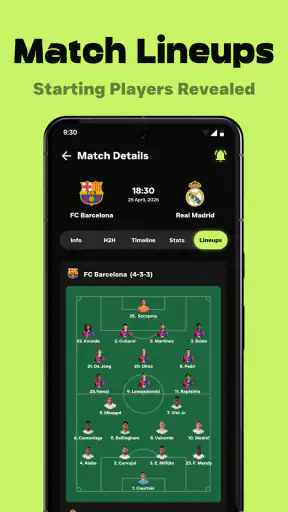
The inclusion of statistics gives the app more depth than a bare score ticker. I like using numbers as a second step when the result alone feels incomplete. For example, after seeing a close score, I may want context before deciding whether the match was genuinely balanced. Statistics can support that quick interpretation without requiring a full post-match article.
However, figures can be difficult for users with dyscalculia, cognitive fatigue, or limited time. I would avoid treating a wall of numbers as a complete explanation of a match. A statistic is most helpful when it answers a specific question, such as whether one side created more pressure or whether the result was unusually close. Used without context, it can add effort rather than clarity.
Highlights serve a different audience. They are useful for someone who missed a game and wants a rapid visual recap, but they are not equivalent to a full broadcast. A viewer who needs captions, audio description, or a particular presentation style should test a highlight before building a routine around it. I would choose a dedicated video service when inclusive playback controls are more important than quick access.
What may still create barriers
The biggest limitation is that a general score app cannot satisfy every access need simply by being simple. People who depend on highly predictable screen-reader labels, comprehensive keyboard navigation, detailed alert controls, or extensive personalization may find that a specialist accessibility-focused service is a safer choice. I would not select this app solely because its age rating is Everyone.
There is also a potential financial consideration. The app is free to download, but in-app purchases range from $13.99 to $19.99 per item. That does not automatically make the free experience unsuitable, yet families and users managing a strict budget should review purchase prompts carefully and make sure the phone’s purchase protections match their needs. A free starting point is helpful, but it is still worth knowing where paid options may enter the experience.
Another barrier is attention. Football information changes quickly, and a user who checks the screen while multitasking may misread a match state or miss an important detail. I would use it in a stationary place, enlarge the display when necessary, and confirm the team names before reacting to a score. This sounds obvious, but it is especially important when several fixtures are being followed at once.
Version 1.0.25 is a reasonable point at which to evaluate the app on your own phone, but I would not assume that every Android device running 7.0 or later will feel identical. Screen size, manufacturer interface changes, text settings, and assistive technology can all affect navigation. The minimum operating-system requirement makes the app available to many older devices, although older hardware may not provide the smoothest experience.
Who should choose it, and who should look elsewhere?
I would recommend Football Live Scores & Alerts to a supporter who wants fast football updates, occasional statistics, and highlights in one place. It is particularly suitable for short sessions: checking before work, following a match while away from home, or catching up after missing live action. Its free entry point also makes it easy to try without committing to a subscription first.
I would be more cautious for someone whose main requirement is full match viewing, extensive audio support, highly customized notifications, or guaranteed compatibility with a specific assistive setup. In those cases, a broadcaster, a specialist football platform, or an accessibility-tested service may be a better fit. I would also skip it if I wanted deep tactical analysis rather than quick match awareness.
My practical recommendation is to test one familiar fixture using the phone settings you actually depend on. Check whether the score is easy to locate, whether the details remain readable after display adjustments, and whether the amount of information feels calming or crowded. Then decide whether the app belongs in your daily routine. That short trial tells you more than a generic promise of convenience.
My inclusive verdict
I came away viewing Football Live Scores & Alerts as a useful, focused sports tool with a clear everyday role. It lowers the effort of checking football information when I cannot watch a match, and its combination of scores, statistics, and highlights gives me more context than a single notification. The experience is most comfortable when I control the pace and use the app for one question at a time.
Its inclusive strengths are practical rather than absolute. Visual score checking can suit people who do not want audio-based updates, short sessions can help users with limited attention, and one-handed reading is more realistic than long-form interaction. At the same time, small-screen density, uncertain assistive-technology behavior, changing match information, and paid options can still create friction.
For me, the final decision is simple: choose it if you want a fast football check-in and are comfortable evaluating the interface with your own display and accessibility settings. Choose a more specialized alternative if your priority is hands-free use, deeply customizable alerts, comprehensive accessible video, or complete match coverage. Used within its limits, this free app is a convenient companion for staying connected to the game without pretending to replace every other football service.


